Creating a Collaborative Project Management Suite With No Code
July 16, 2024

Collaboration is key to effective project management, allowing teams to work together smoothly towards shared goals.
A no-code project management suite fosters collaboration by letting team members customize and adapt tools to fit their unique workflows. With intuitive, point-and-click interfaces, everyone can contribute without needing programming skills. Platforms like Caspio enhance team communication, transparency and accountability by simplifying the creation of dashboards, automating tasks and managing resources.
In this blog, we’ll explore the benefits of no-code tools, guide you through designing your own project management suite, and highlight best practices for improving team collaboration.
Leveraging No-Code Platforms for Project Management
Project management is all about planning, organizing and managing resources to achieve specific goals within a set timeline. It involves defining project scope, setting objectives, allocating resources and managing risks. Success in project management also depends on clear communication, teamwork and the ability to adapt to changes.
Understanding these basics can help organizations optimize their processes, improve project outcomes and boost productivity. These fundamentals also set the stage for leveraging tools like no-code platforms to elevate project management practices.
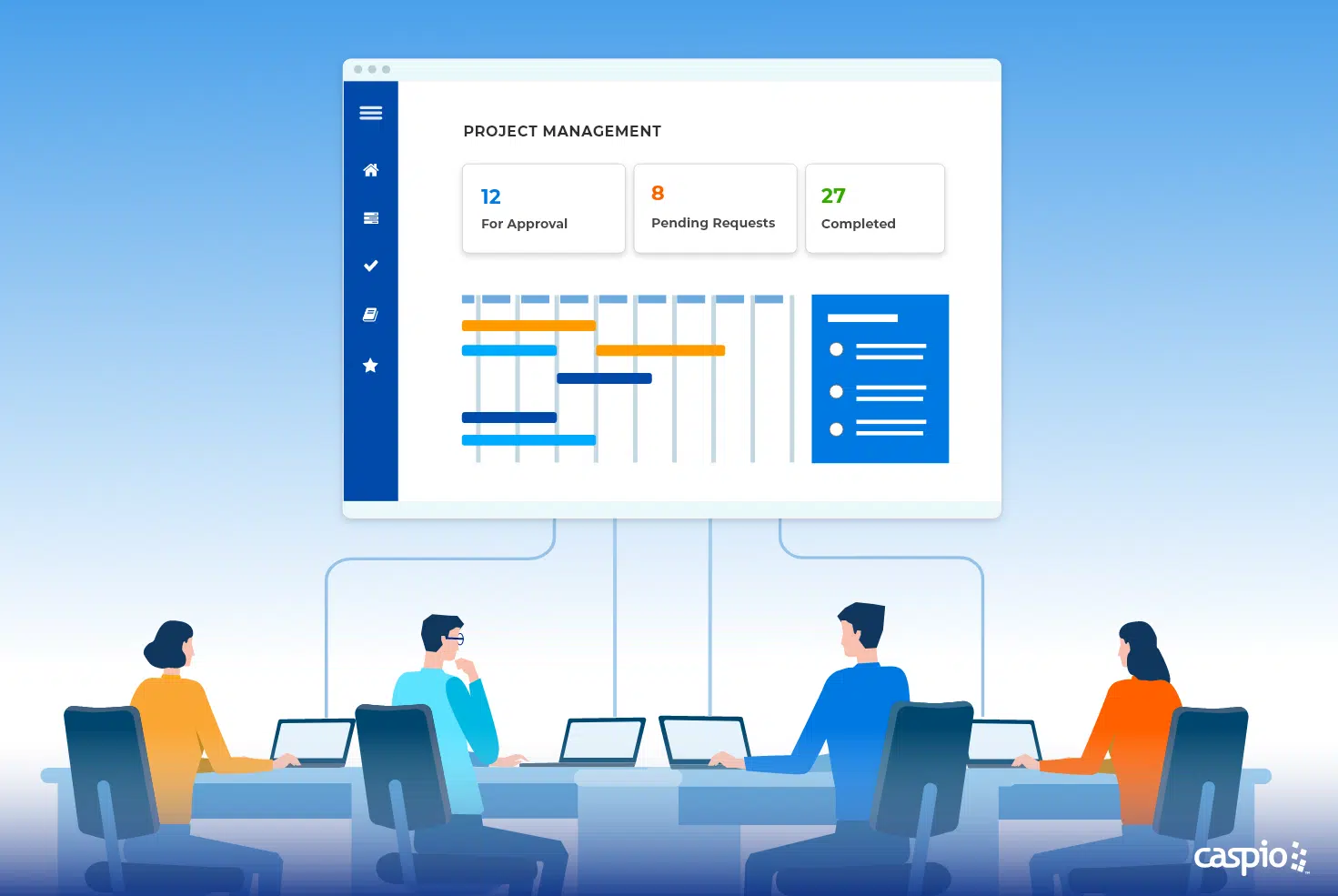
PROJECTS AT SCALE: Caspio offers unlimited users for every plan, helping your business scale without extra expenses.
Here are some benefits of using no-code for project management:
- Accessibility – Even non-technical team members can build and customize apps.
- Speed – Quickly deploy project management tools without long development cycles.
- Customization – Tailor solutions to fit your team’s specific workflows.
- Cost-Effectiveness – Save on the costs of hiring developers or buying off-the-shelf solutions that might not fully meet your needs.
Designing Your No-Code Project Management Suite
Creating a no-code project management suite involves four key steps:
1. Assess Your Needs
Identify the specific requirements of your project management process. Determine the features that will best support your team’s workflows, such as task automation, real-time updates and collaborative dashboards.
2. Choose the Right Features
At its core, your project management system should centralize project information with customizable dashboards that offer a real-time overview of project status, upcoming deadlines and key metrics. You can also automate routine tasks using tools that trigger actions based on specific events, such as task completion or status changes.
3. Design User-Friendly Interfaces
Use point-and-click builders to create intuitive interfaces that cater to different roles within your project team. Ensure that the interfaces are easy to navigate, reducing the learning curve and enhancing user adoption.
4. Test and Iterate
Conduct thorough testing to identify and resolve any issues. Gather feedback from users and iterate on the design to improve functionality and user experience.
Enhancing Team Collaboration With No-Code Tools
No-code tools can significantly boost team collaboration by enabling teams to implement features that promote transparency, accountability and communication. Here are specific enhancements you can add to your project management application using no-code:
- Role-Based Access – Assign permissions based on team roles, ensuring everyone has the access they need to perform their tasks efficiently.

IDENTITY AND ACCESS MANAGEMENT: Caspio offers Caspio Directories to manage user access easily in one centralized hub.
- Shared Dashboards – Let team members access and update project information in real time, ensuring everyone is on the same page.
- Communication Tools – Integrate messaging features for seamless communication within the project management suite.
- Workflow Automation – Automate repetitive tasks to enhance efficiency and reduce the risk of human error. Workflow automation can handle tasks such as sending notifications, updating records and generating reports automatically.
- Reporting and Analytics – Generate reports in the form of tables, charts and graphs to track performance and make informed decisions.
- Project Visualization – Visualize workflows and manage tasks easily using add-ons like Kanban boards and Gantt charts. This helps teams understand the project schedule and view progress against deadlines.
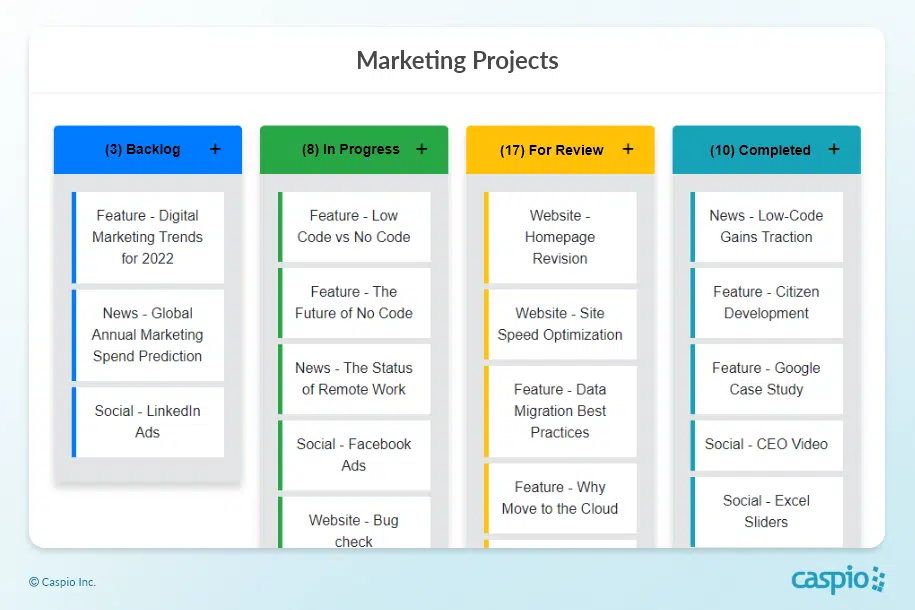
VISUALIZE WORK: Caspio’s Kanban board extension provides a seamless drag-and-drop interface for moving projects and tasks from backlog to completion.
Unlocking the Potential of No-Code Project Management
No-code platforms offer a powerful solution for building collaborative project management suites that enhance team productivity and streamline processes. By leveraging these tools, businesses can create customized solutions that meet their unique needs without the barriers associated with traditional coding.
As no-code technology continues to advance, the possibilities for innovation in project management are limitless. Embrace the potential of no-code platforms to transform your project management practices and drive success.
To further explore the features and capabilities of Caspio, sign up for a free trial or schedule a personalized demo.

Recommended Articles

How AI Agents Buy Software, and Why Legibility Wins
READ STORY
10 Questions to Ask Before Connecting AI to Business Data
READ STORY
Add a Role-Aware AI Chat Agent to Your Caspio App
READ STORY
Build Internal Tools With AI: Best Tools for Business (2026)
READ STORY
Vibe Coding vs. Low-Code: Key Differences and Where Caspio Fits in 2026
READ STORY
Lovable Alternatives for Business and Regulated Apps (2026)
READ STORY
Vibe Coding Governance: The IT Leader’s 2026 Checklist
READ STORY
Shadow AI Apps Are the New Shadow IT: A 2026 Guide
READ STORY
Code Artifact vs. Governed Platform: The Two Architectures
READ STORY
AI App Builders for Regulated Industries: 2026 Buyer's Guide
READ STORY
Secure Alternatives to Vibe Coding for Business Apps (2026)
READ STORY
AI and No-Code: Generative AI in App Development
READ STORY
