4 Essential Low-Code Apps for Startup Success
February 8, 2024

In many ways, running a startup is not so different from managing a large, established enterprise. Inventory must be tracked. Employees must be paid. Cost and profits should be balanced. Et cetera. But while big companies can afford a four or five-figure-worth business management software to facilitate operations, most startups… can’t.
Fortunately, they don’t need to, either.
Thanks to low-code development.
Low-Code Solutions for Startups
In the past, businesses only had two ways to procure digital solutions: buy them off-the-shelf or hire developers to build them. But with low code comes a third, more practical option: letting businesses build the tools themselves, when and how they need them.
In addition to visual builders and point-and-click tools, low-code platforms provide pre-made templates for commonly used business applications. These customizable templates give startups the flexibility to create solutions that better fit their needs compared to off-the-shelf alternatives.
Below are four apps that new businesses can tailor-fit themselves on their low-code platform.
1. Customer Relationship Management Platform
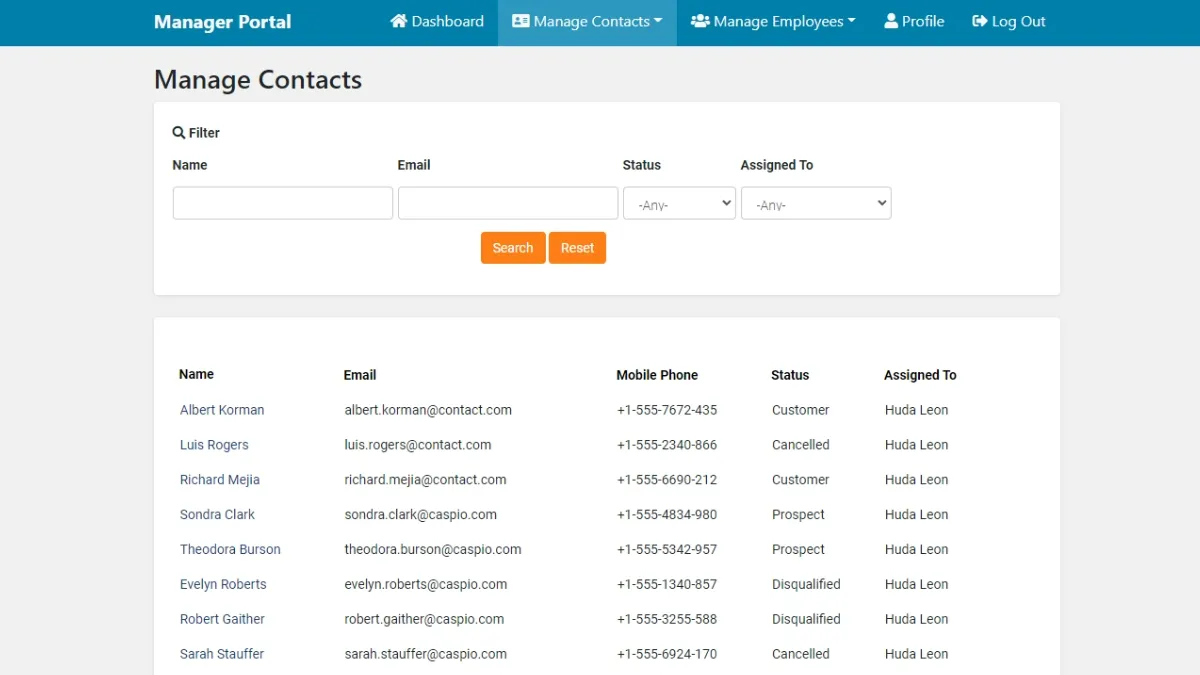
Whether a business has ten clients or ten thousand, a solid, well-maintained CRM system is essential.
For starters, they are a veritable goldmine of information. They can house everything a business needs to know about each client, from basics like their contact details and addresses to deeper insights like their industries, purchase history, buying preferences and more. By having these all in one centralized and automatic database, CRM systems make it easier for businesses to review the numbers, spot trends and challenges and make data driven decisions.
Of course, different businesses mean different customer needs. With low code, they can create custom CRM solutions perfectly tailored to their unique needs at a fraction of the cost and time of traditional development. Platforms like Caspio offer free CRM templates that companies can modify as they see fit to accommodate their respective CRM strategies. More importantly, these templates are built to be scalable and keep pace with the business through every growth stage.
2. Project Management Tools
With how quickly and unexpectedly things change in today’s digital landscape, it would take more than a basic pen and paper to stay on top of everything. Project management (PM) solutions are a necessity for any business, no matter the size. With these, organizations can better monitor their workflows, manage resources and understand their data.
Fortunately for new ventures, many off-the-shelf online PM tools are available for free or for a small, affordable price. These starter solutions come with core project management functions like task planners, schedulers and time managers, progress trackers and more. On low code, users can further modify basic PM app templates to include supplementary functions like project databases, data dashboards, automatic notifications, report generators and others.
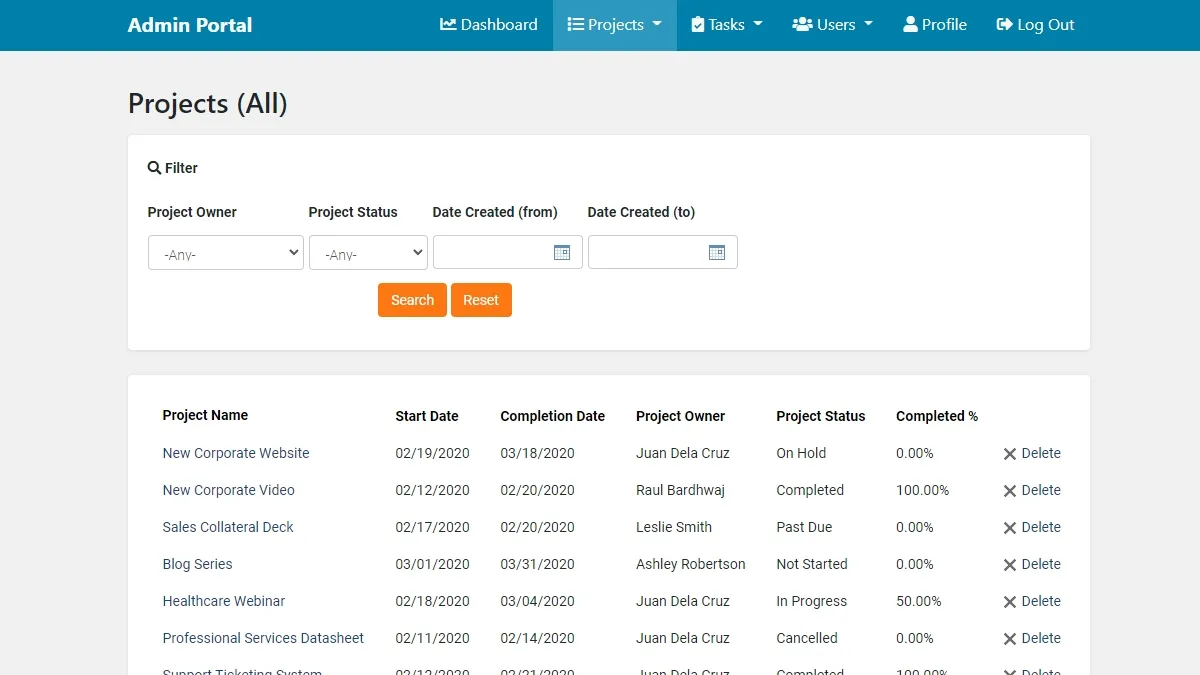
Being able to create custom PM solutions is especially handy for businesses with unique operational needs or specific industry requirements. For instance, a construction company might incorporate a map feature into their PM platform to monitor their project locations, while a healthcare provider can safeguard patient data by storing their project files on a HIPAA-compliant database.
3. Expense Management System
When it comes to finance, even the smallest mistakes can cost businesses greatly. That’s why digital expense reporting systems are a smart investment.
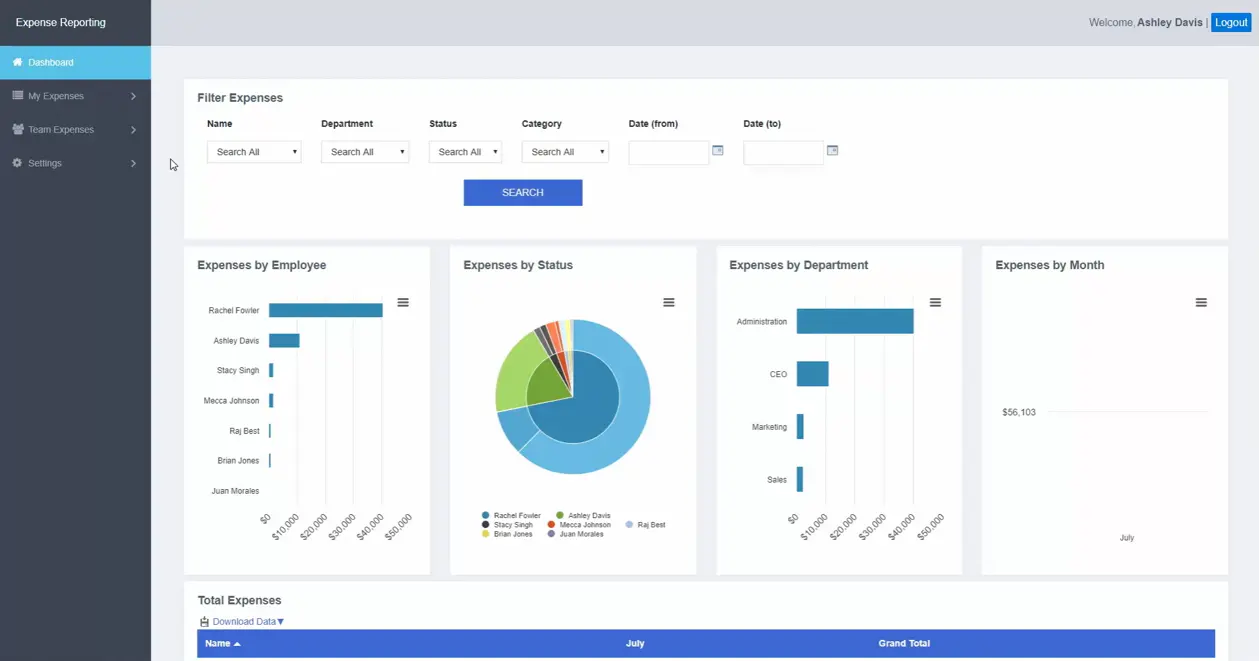
These apps greatly streamline the expense management process, automating many manual tasks and minimizing the potential for human error. Data entry, receipt verification, form filing, and other tedious, manual work can now be done in seconds, with just a few clicks. Analysis and report generation can also be automated, giving decision-makers better insights into their operations. Reimbursements and budget allocation can be released faster, preventing any bottlenecks from occurring.
The good news for small and new businesses is that powerful expense management apps no longer have to be, well, expensive. Thanks to low-code development, startups can create various finance tools to support their businesses at little to no cost. Whether it’s an expense tracking software to accommodate their budget constraints or an expense reporting app to monitor their cash flow, low code makes it possible.
4. Employee Portal
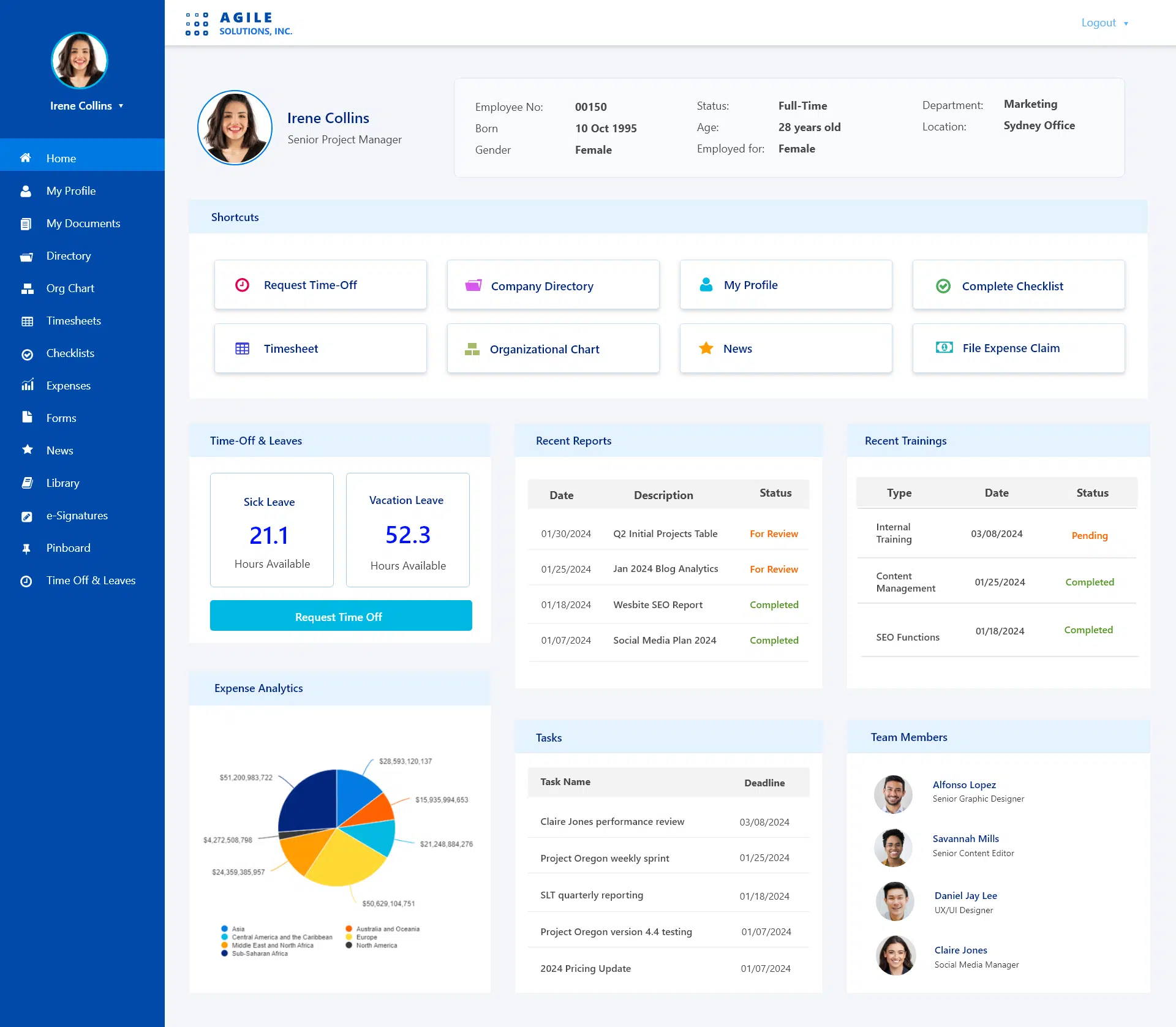
Employee management systems aren’t just for big businesses. Startups across all verticals also need to monitor their people’s performance, goals and challenges, more so if they plan to grow and succeed in the long run.
While these can technically be done manually with a small enough team, the approach is risky and inefficient. Physical logbooks are easy to tamper with and paper documents are susceptible to the elements. Digital spreadsheets are safer in contrast, but without an automatic management system, files can still be lost or corrupted.
For startups, most basic employee or HR portals are generally enough to cover what they need: a database of all employees in the business, organizational charts and a library of standard HR resources like employee handbooks and company policies. But by using a low-code platform instead of an out-of-the-box solution, startups have the option to customize their portal over time to meet their changing needs, such as adding new functions like a helpdesk ticketing system, a time off request app, a task management tool, and more.
Creating Custom Applications With Low Code
For startups aiming to launch their own applications, low code brings a practical, highly efficient alternative to traditional app development and gives smaller and newer businesses a leg up in today’s cutthroat landscape.
Even with limited IT resources, startups can create fully functional apps on par with any hard-coded solution on the market, like what 1.800.REPAIRS had done, about two decades ago. The Louisiana-based business founded by Kerry Lauricella provides home and auto repair services to customers across the United States by connecting them to their closest local partner.
Because of the convenience of their service, 1.800.REPAIRS soon found themselves with more customer calls than they could manually handle. Lauricella initially explored traditional digital solutions, including outsourcing their database needs to IT companies, but found the process to be too tedious. He needed something quicker and more flexible, and simple enough that he could manage it himself despite his limited technical background.
Low code delivered. “We needed something robust that could keep up with a tremendous amount of people going on 1800REPAIRS.COM,” he said in an interview for Caspio’s podcast series, Low Code/High Impact. “Low code is a simple way to simplify and collect data, log it, keep it safe and manage it. And you can do it without having two or three tech people.”
“It saves us a fortune. It may have saved 1.800.REPAIRS $400,000, maybe half a million, easy.”
Kerry Lauricella
CEO
1.800.REPAIRS
The Low Code Advantage
Launching – and successfully running – a business in today’s digital world is no mean feat, but the right resources will go a long way in securing that win. As startups navigate the challenges of running a new business, low code is an ace up their sleeves, helping them meet customer needs, address operational challenges and even go head-to-head with bigger, more seasoned competitors.
By democratizing the app development process and making vital business apps more accessible, low code is, undoubtedly, key in a startup business’s growth.


Recommended Articles

How AI Agents Buy Software, and Why Legibility Wins
READ STORY
10 Questions to Ask Before Connecting AI to Business Data
READ STORY
Add a Role-Aware AI Chat Agent to Your Caspio App
READ STORY
Build Internal Tools With AI: Best Tools for Business (2026)
READ STORY
Vibe Coding vs. Low-Code: Key Differences and Where Caspio Fits in 2026
READ STORY
Lovable Alternatives for Business and Regulated Apps (2026)
READ STORY
Vibe Coding Governance: The IT Leader’s 2026 Checklist
READ STORY
Shadow AI Apps Are the New Shadow IT: A 2026 Guide
READ STORY
Code Artifact vs. Governed Platform: The Two Architectures
READ STORY
AI App Builders for Regulated Industries: 2026 Buyer's Guide
READ STORY
Secure Alternatives to Vibe Coding for Business Apps (2026)
READ STORY
AI and No-Code: Generative AI in App Development
READ STORY
