Custom CRM Tips: Improve Your Customer Relationships With These Best Practices
September 24, 2020

The key to surviving disruption is a dedicated customer base, and that’s something you build with constant and personalized communication.
A custom CRM will surely help — if you use it the right way.
Follow these best practices when using CRM software and start tracking conversations, converting more leads and managing customer relationships effectively.
CRM Best Practices to Improve Customer Relationships
Good customer relationships start with good customer experiences. Make the most out of your CRM tool and create exceptional experiences for your customers with these tips:
Organize your customer data.
Effective customer relationship management breaks down with disorganized data. When information is spread across multiple spreadsheets, documents, paper forms and memory drives, it becomes impossible to scale any customer engagement program.
So, if your CRM tool can only do one thing, let it be this: organize your customer data.
Prevent data chaos from ruining the experience for both your employees and customers. Adopt a cloud-based CRM tool that automatically pulls data from multiple sources and centralizes it into a secure online database.
Technology startup Roost, which develops home telematics devices for insurance partners, used to struggle with managing data from multiple sources, including Excel spreadsheets, CSV files on Dropbox, reports on SurveyMonkey and so on.

To bring order to the chaos, Kim Graf, Roost’s director of customer experience, built a centralized hub for all business-critical information. She leveraged Caspio’s visual drag-and-drop tools to relate and filter data on their database, implementing user access controls to ensure users access only the information they’re authorized to see.
Track and customize your conversations.
Conversations with customers happen across multiple departments — from marketing to sales to account management and support — depending on where they are in the customer lifecycle.
Imagine how frustrating it gets for a customer to repeatedly provide their name, contact information and other details whenever they deal with a different department.
Not having access to information relevant to the customer and their
account results in lost opportunities, whether to nurture them as a prospect or retain them as a customer. Internally, it impacts the productivity of employees, who need to spend more time searching for emails and other communications for context.
Use your custom CRM system to track conversations across departments and channels — including meeting notes, phone calls and email logs — to understand your customer’s situation better and determine opportunities for retention or upsells.
Integrate business-critical tools into your custom CRM.
CRM integrations help maximize productivity by allowing all your business-critical applications to “talk” to each other. They enable your team to save time by eliminating the need to migrate or copy data from one tool to another.
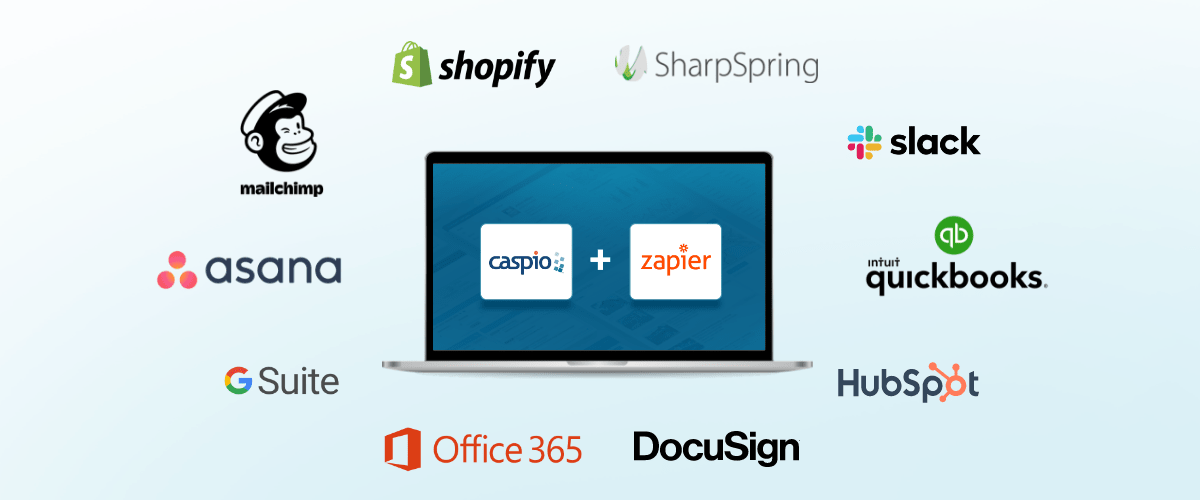
For example, you can use integrations to automatically create a customer record on your CRM app when someone fills out a form on your website. Less time for manual data entry work, more time for building rapport with prospects and customers.
Integration also enables you to introduce a new CRM system without having to change your existing processes or replace services that your team is already using.
Through Zapier, you can connect Caspio to more than 5,000 web services, including Google Calendar, Gmail, Mailchimp, ActiveCampaign, Shopify, Slack and other tools for customer relationship management.
Use analytics to understand customer pipeline and team KPIs.
Consolidating all customer information and integrating other tools into an online database opens up possibilities for the analysis of data and optimization of offers.
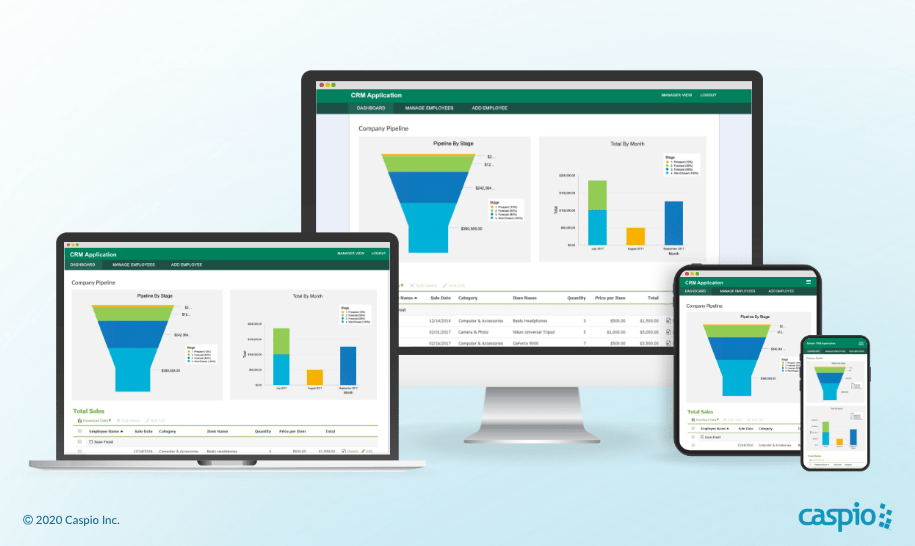
Build dashboards with graphs and reports in your custom CRM to better understand where customers are in the pipeline. By knowing which stage your customers belong to, you’ll be able to tailor the offers and resources you send for optimal conversion.
CRM analytics also helps you determine the performance of your sales, marketing and support teams. You can even follow up with specific leads based on their potential revenue contribution for that month or level of interest in purchasing.
Enable your team to embrace the system.
Software adoption usually fails when the new tool disrupts an already established and well-defined process instead of enhancing it. In many cases, your sales reps encounter a steep learning curve and end up spending more time trying to adapt to the system instead of actually using it.
How do you ensure your team adopts your new CRM tool?
Build a custom CRM app and involve your team in the development process right from the start. If the IT department is building it, make sure they fully understand the sales team’s requirements and what problems they are hoping to solve with the app.
Better yet, empower your team to build their custom CRM; teams are likely to adopt software that they create themselves.
And yes, you can build a custom CRM without having to code.
Build a Custom CRM App Without Coding
Instead of settling for generic, off-the-shelf software suites meant for a mass market, build a custom CRM that solves your unique business challenges. That’s just one of the many reasons to custom-build your CRM. But what if you lack the technical skills to write code or the IT department is swamped with other pressing development requests?
Use Caspio to build your dream CRM app.
Caspio’s no-code platform puts the power to build custom apps in the hands of business users. It combines a robust online database with a visual point-and-click app builder and a scalable cloud infrastructure.
ADSR Technologies, which supplies CRMs and sales reports systems for auto dealerships, used to struggle with developing apps because of the complexities of preparing development environments online.

Caspio enabled them to quickly organize data in the cloud and build applications on top of it, without writing code.
“With a combination of elements inside Caspio — database tools, form generators, charting and reporting utilities — I easily get data into the cloud and I can present it in a very professional way,” said Hendrik Dreyer, ADSR co-founder. “That gave me a significant competitive advantage in the market.”
Improve Customer Relationships With a Custom CRM
Ready to improve your customer relationships with a custom CRM?
Use this free CRM app template to get your system up and running — fast! This ready-made app includes all the basic features you need to build strong relationships with prospects and customers, as well as track communications and monitor team performance.

Want to take it a step further?
Customize our template with your corporate branding. Create additional functions that complement your processes. Build new interfaces to incorporate tasks, productivity and other metrics. Add a public-facing “contact us” form to feed new inquiries into your CRM app.
Want to learn more?
Check out our Ultimate Video Guide: How to Build a Custom CRM Application Without Coding. This step-by-step video guide offers everything you need to know about building your own CRM system — from setting up tables on your online database and defining user access to deploying your application online.
If you have questions, schedule a free consultation with one of our platform specialists today and discover how Caspio can help you build a custom CRM to improve customer relationships.
Recommended Articles

How AI Agents Buy Software, and Why Legibility Wins
READ STORY
10 Questions to Ask Before Connecting AI to Business Data
READ STORY
Add a Role-Aware AI Chat Agent to Your Caspio App
READ STORY
Build Internal Tools With AI: Best Tools for Business (2026)
READ STORY
Vibe Coding vs. Low-Code: Key Differences and Where Caspio Fits in 2026
READ STORY
Lovable Alternatives for Business and Regulated Apps (2026)
READ STORY
Vibe Coding Governance: The IT Leader’s 2026 Checklist
READ STORY
Shadow AI Apps Are the New Shadow IT: A 2026 Guide
READ STORY
Code Artifact vs. Governed Platform: The Two Architectures
READ STORY
AI App Builders for Regulated Industries: 2026 Buyer's Guide
READ STORY
Secure Alternatives to Vibe Coding for Business Apps (2026)
READ STORY
AI and No-Code: Generative AI in App Development
READ STORY
