Improve Security Across Your Apps With Caspio Directories
December 12, 2022
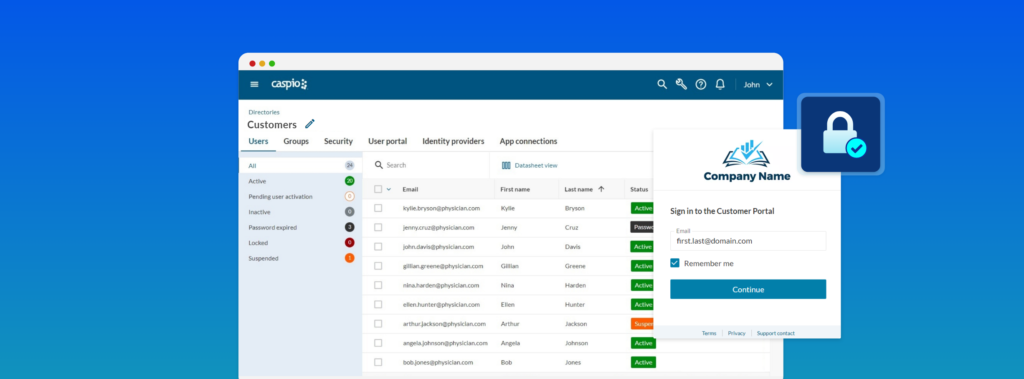
Businesses are transforming their operations to be cloud-first more than ever before. This transition, however, introduces new security and compliance challenges. Complex user management workflows and inefficient security policies can increase unauthorized app access and put organizations at risk.
To help ensure greater control of user access, Identity and Access Management (IAM) services emerged to make it easier for organizations to manage digital identities. Analysts predict that 75% of all organizations will adopt an IAM vendor by 2024 ― compared to only 15% in 2021.
IAM solutions include password-management tools, single sign-on (SSO) and two-factor authentication (2FA). These tools let organizations securely store user data and administer user application access.
Organizations benefit from IAM security by identifying and authenticating users and preventing unauthorized access.
Introducing Caspio Directories
Caspio Directories is our new IAM service that combines enterprise-grade security with the ease of no-code applications. It allows you to verify and authenticate an unlimited number of app users in a guided, fail-proof environment. With pre-designed user workflows and efficient administrative controls, Caspio Directories streamlines the user management process while improving security across your applications.
Watch this 2-minute video for a quick tour:

Key Capabilities of Caspio Directories
Directories includes powerful, built-in functionality to make app user management more efficient. Here are the top features and capabilities you can leverage:
1. Unlimited User Authentication
Add an unlimited number of users per directory, whether internal (i.e. employees) or external (i.e. partners, customers, contractors). Compared to other IAM solutions, Caspio Directories allows you to implement security best practices at scale without incurring user licensing costs.
2. Centralized User Management
Verify and manage user access across multiple applications from a single place. The color-coded user status dashboard shows the user lifecycle at a glance so it’s easy for administrators to view, filter and manage user access using an intuitive visual interface.
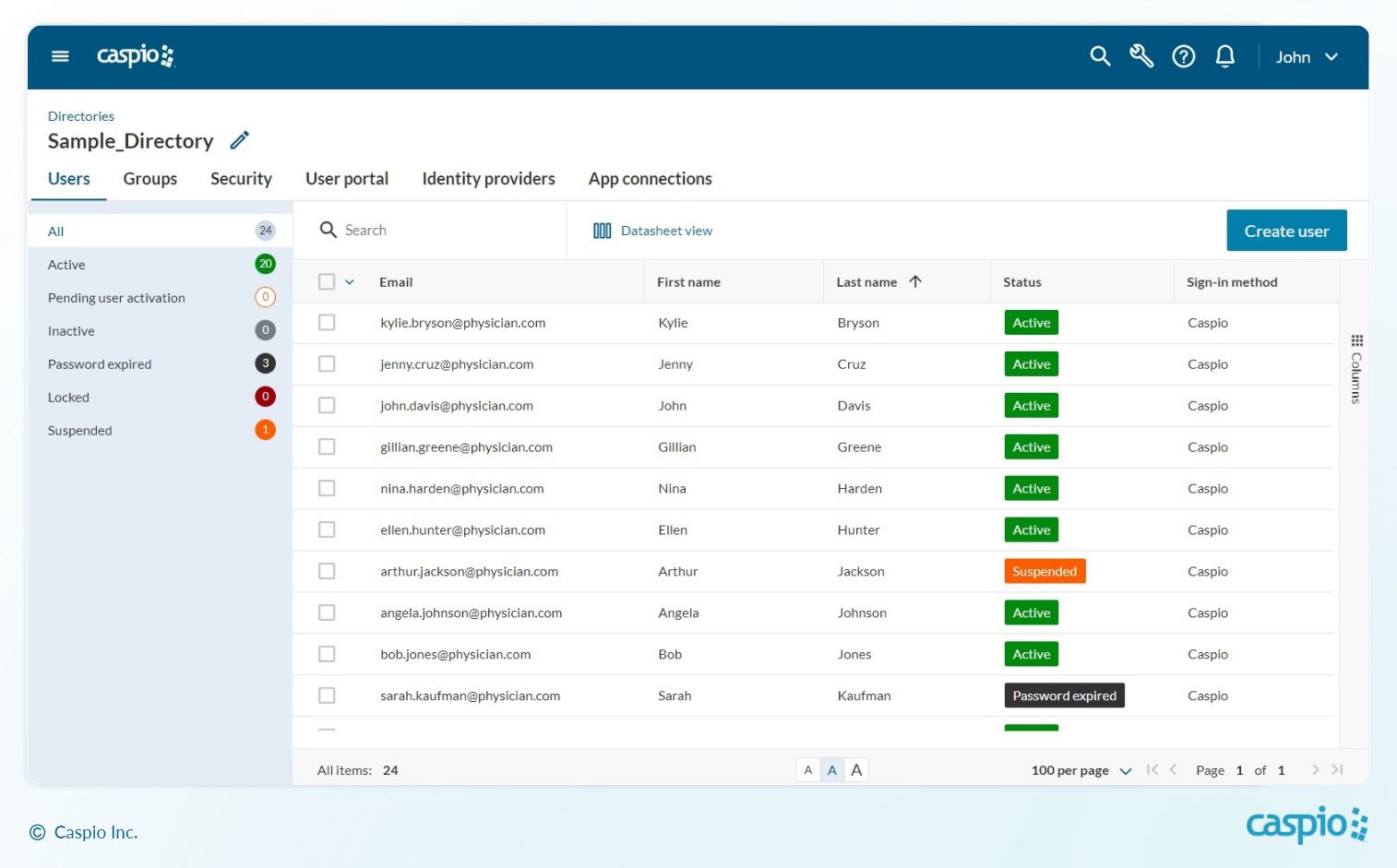
CENTRALIZED CONTROL: Streamline lifecycle management and security governance across your apps.
3. Built-in 2FA and Custom Security Settings
Modify specific security settings according to your requirements without writing code. With just a click, you can require two-factor authentication (2FA) or allow end users to turn it on themselves.
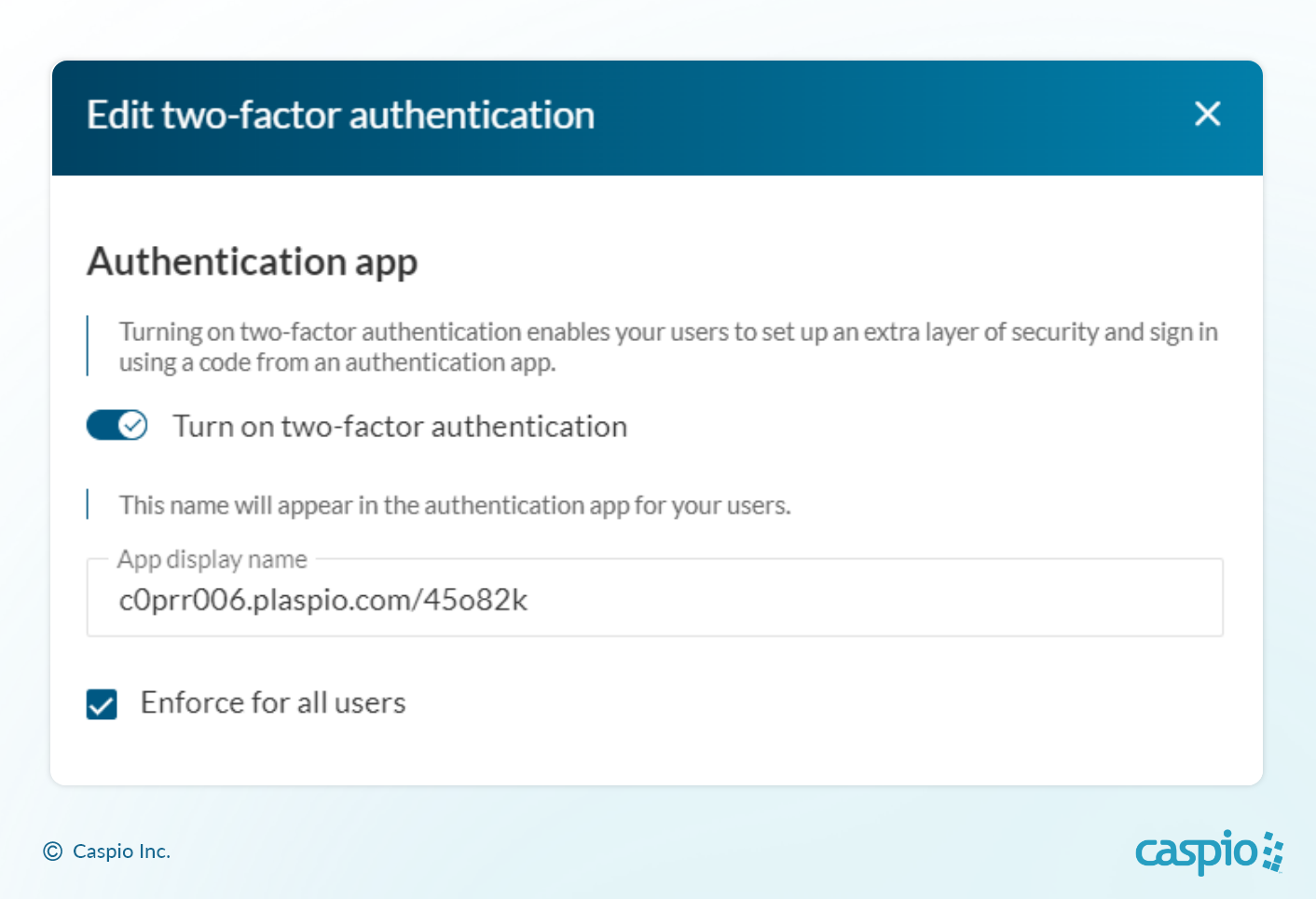
ONE-CLICK 2FA: Turn on two-factor authentication for all your custom applications with a single click.
Additionally, you can define security policy settings such as failed sign-in attempts, password strength, password expiration and more.
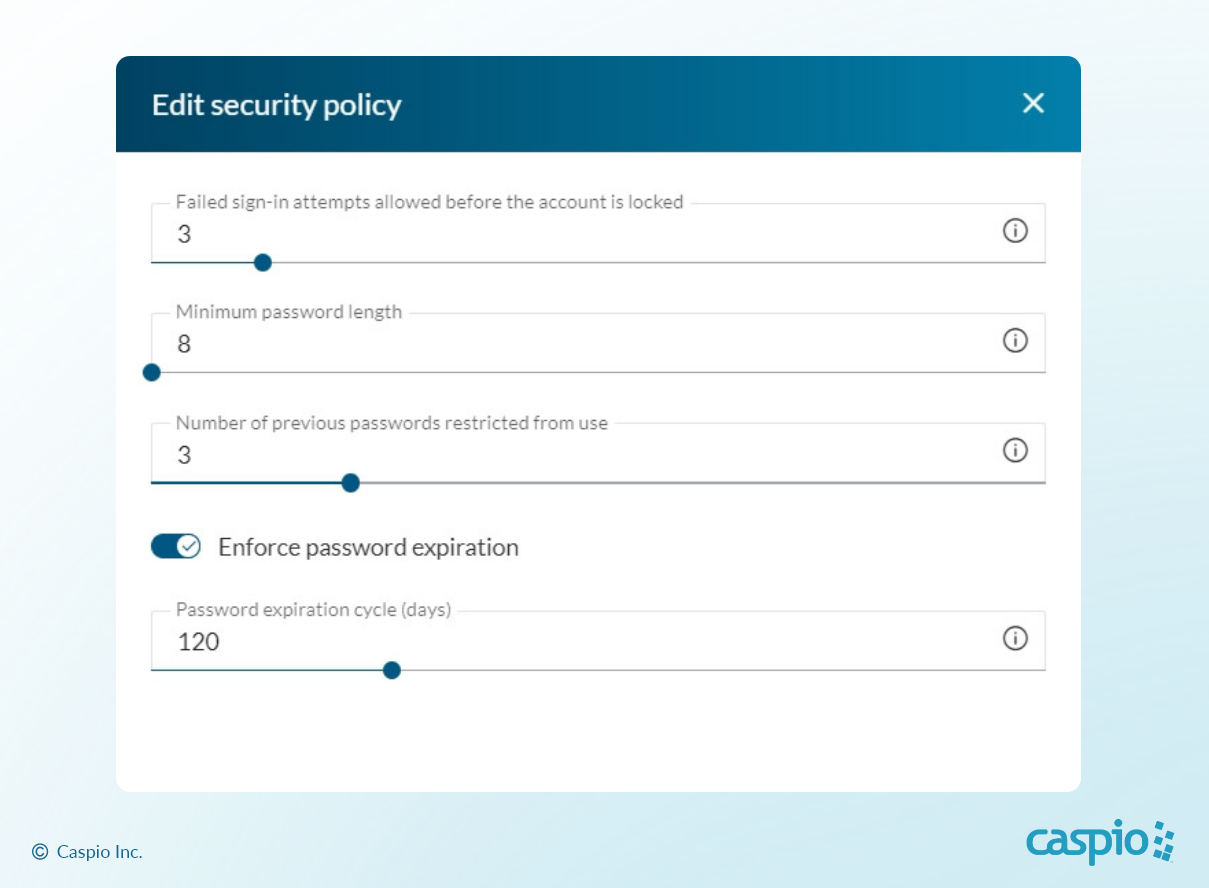
SECURITY GOVERNANCE: Configure your security policies to adhere to corporate IT or compliance requirements.
4. Third-Party App Connections
Beyond authenticating users to your Caspio apps, Directories can also serve as an identity provider for external applications like Zoom, Slack, Salesforce, HubSpot or any app that supports SAML 2.0 single sign-on.
Use Caspio Directories to set up third-party app connections and enable unlimited users and groups to access your connected apps.
Here’s a quick tutorial on how to add Slack as an app connection:

5. Third-Party Identity Providers
Are you already using an external identity provider to authenticate users? Organizations that use Microsoft AD, Azure AD, Okta, Auth0 or OneLogin can connect user information from these identity providers to Caspio Directories. This allows IT to streamline governance while providing app users with a simplified SSO experience.
Here’s a tutorial on how to add Azure AD as an identity provider:

6. Self-Serve User Portal
The self-serve user portal is a pre-built interface for app users to manage their own sign-in credentials. Administrators can also customize the user portal to add their own company logo and relevant links to legal terms and technical support.
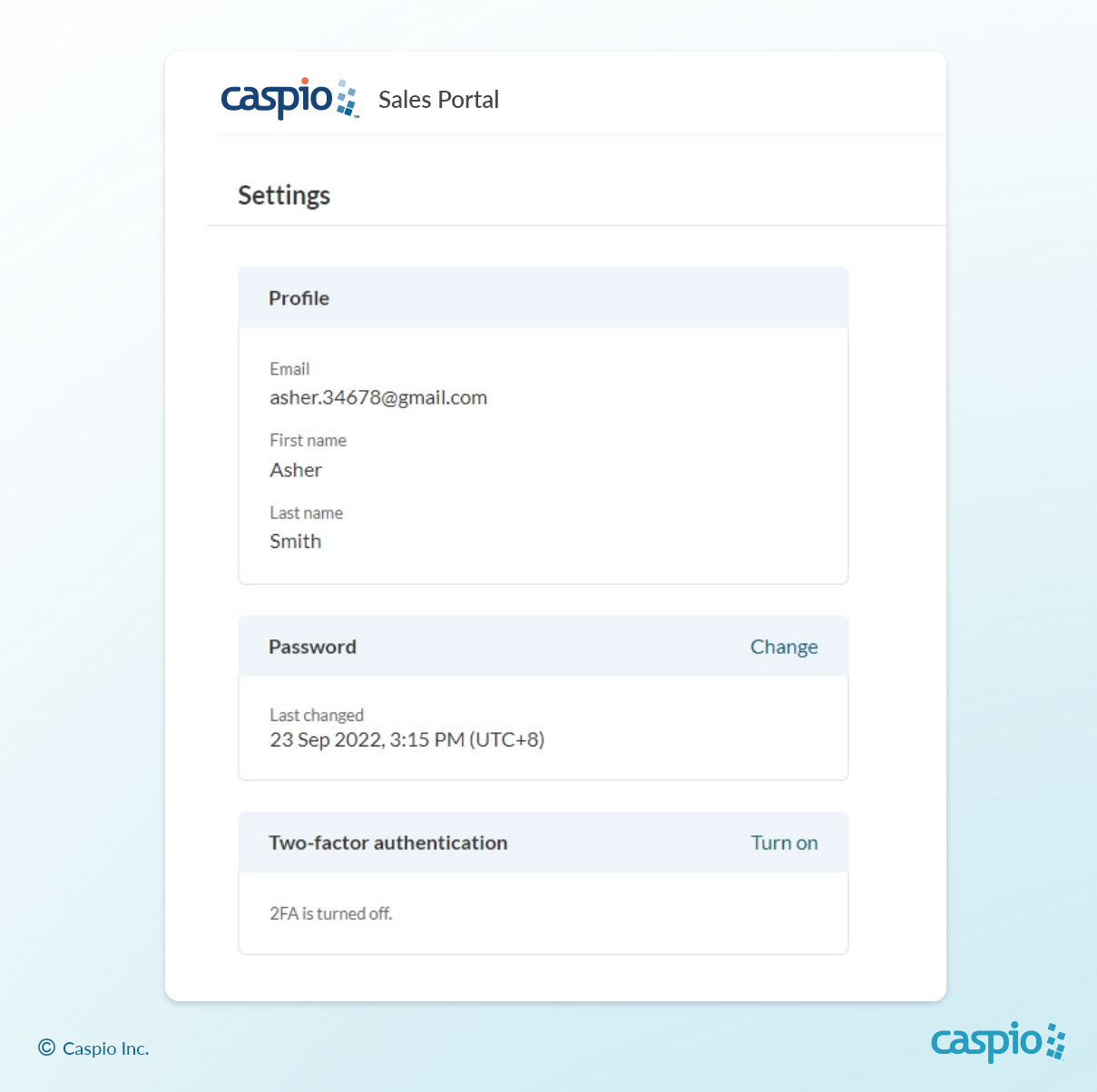
USER PORTAL: Provides a self-serve interface for users to manage their profiles, passwords and security preferences.
How to Add Directories to Your Caspio Apps
This video shows the steps to get started:

Step 1: Create a new directory
First, create a new directory to organize your users. Click the button to create a new directory and enter a name.
Step 2: Convert your existing user table
Caspio Directories allows you to convert existing user tables to take advantage of the new feature. With just a few clicks, you can map your fields to directories.
Step 3: Select the directory as your authentication method
To use Directories as the authentication method for your Caspio DataPages, select your directory as the authentication object. Authorized users who are part of your directory can now access your applications securely with the built-in login form.
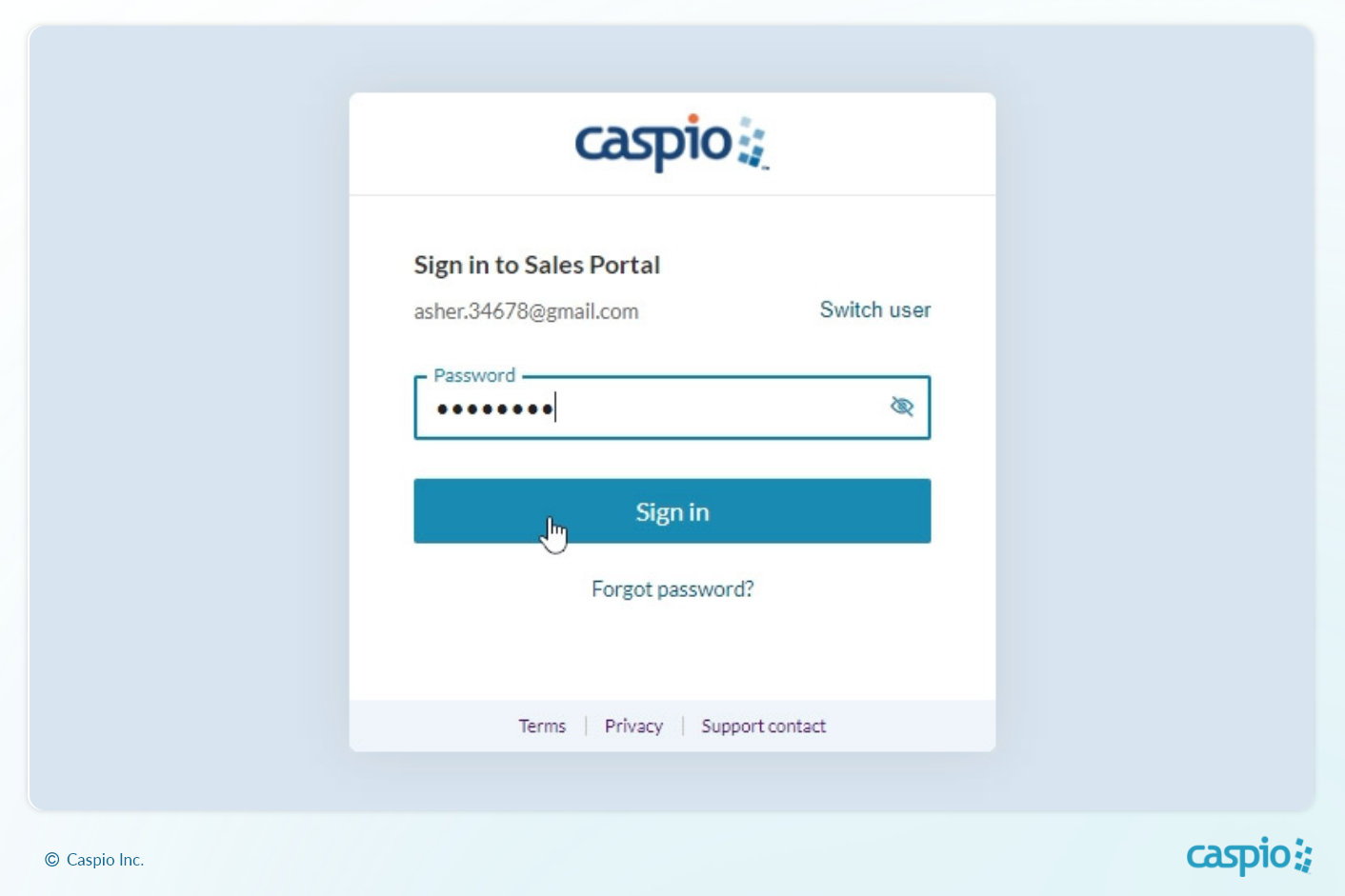
INSTANT LOGIN: Caspio Directories automatically generates a login form for your user portal and applications.
Watch our Livestream on Caspio Directories
Check out Caspio Live on Monday, Dec 19 to see Caspio Directories in action and get all your questions answered.
Subscribe to our YouTube channel for more weekly livestreams with interactive app-building and coaching sessions on popular topics.
You can also schedule a free consultation to discuss Caspio Directories in context of your use case.


Recommended Articles

How AI Agents Buy Software, and Why Legibility Wins
READ STORY
10 Questions to Ask Before Connecting AI to Business Data
READ STORY
Add a Role-Aware AI Chat Agent to Your Caspio App
READ STORY
Build Internal Tools With AI: Best Tools for Business (2026)
READ STORY
Vibe Coding vs. Low-Code: Key Differences and Where Caspio Fits in 2026
READ STORY
Lovable Alternatives for Business and Regulated Apps (2026)
READ STORY
Vibe Coding Governance: The IT Leader’s 2026 Checklist
READ STORY
Shadow AI Apps Are the New Shadow IT: A 2026 Guide
READ STORY
Code Artifact vs. Governed Platform: The Two Architectures
READ STORY
AI App Builders for Regulated Industries: 2026 Buyer's Guide
READ STORY
Secure Alternatives to Vibe Coding for Business Apps (2026)
READ STORY
AI and No-Code: Generative AI in App Development
READ STORY
