Spreadsheet vs Database: What’s Best for Your Business
February 17, 2023
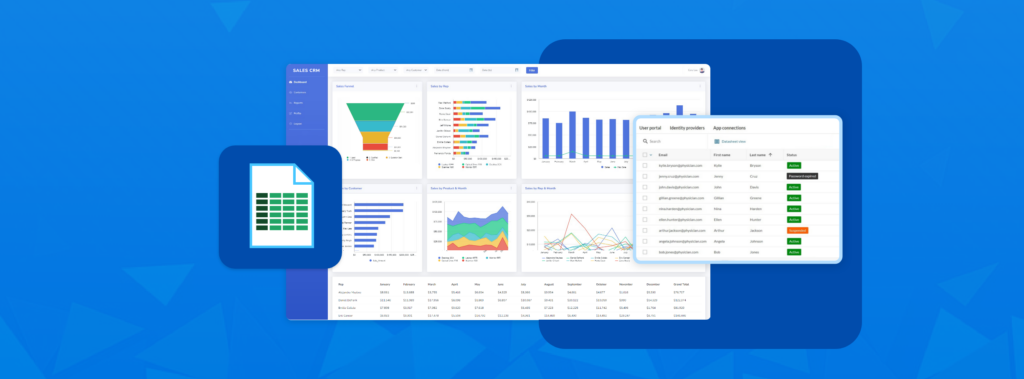
Most companies rely on spreadsheets like Microsoft Excel for day-to-day data management, reporting, task lists and countless administrative duties. But when teams start using Excel like a database, the risks can outweigh the benefits.
Studies show that 88% of mission-critical spreadsheets contain at least one error and it only takes one error for an organization to lose billions of dollars. In 2014, Tibco shareholders lost $100 million due to a simple spreadsheet error by Goldman Sachs. Not to mention, sharing spreadsheets through email raises concerns around version control, security and privacy.
Read on to learn how you can transform any spreadsheet into a legitimate, multi-user database — without writing a single line of code.
4 Reasons Why a Cloud Database Beats Excel
Since its initial release back in the mid-eighties, Microsoft Excel continues to be the primary data management tool on a typical corporate workstation. The sheer flexibility, ease of use and widespread adoption of Excel spreadsheets have made it indispensable.
But if you want your business to operate at scale with less risk, critical data should be stored within a true database environment.
A cloud database provides the most efficient means for organizations to gain the following benefits, even with limited IT resources:
1. Data Integrity
Excel spreadsheets allow you to input anything on any cell regardless of your intended design. This exposes Excel data to more mistakes. On the other hand, cloud databases maintain integrity with built-in rules that ensure your records stay consistent, accurate and complete. For example, you can assign specific data types like integers to your fields, which automatically rejects non-numeric characters.
2. Massive Scalability
Excel spreadsheets can only handle 1,048,576 rows of data per worksheet, with worsening performance as you approach this threshold. This creates serious limitations when processing large datasets for real-time analysis and report generation. But with a cloud database, you can experience optimal response times with tables capable of handling millions of records in the cloud.
3. Maximum Security
Microsoft Excel’s security features leave much to be desired. Excel spreadsheets can only enforce file, workbook and worksheet-level security without any means of retrieving forgotten passwords. On the other hand, cloud databases offer full enterprise-grade security, including two-factor authentication, record-level security, role-based access controls and built-in compliance standards specific to your industry.
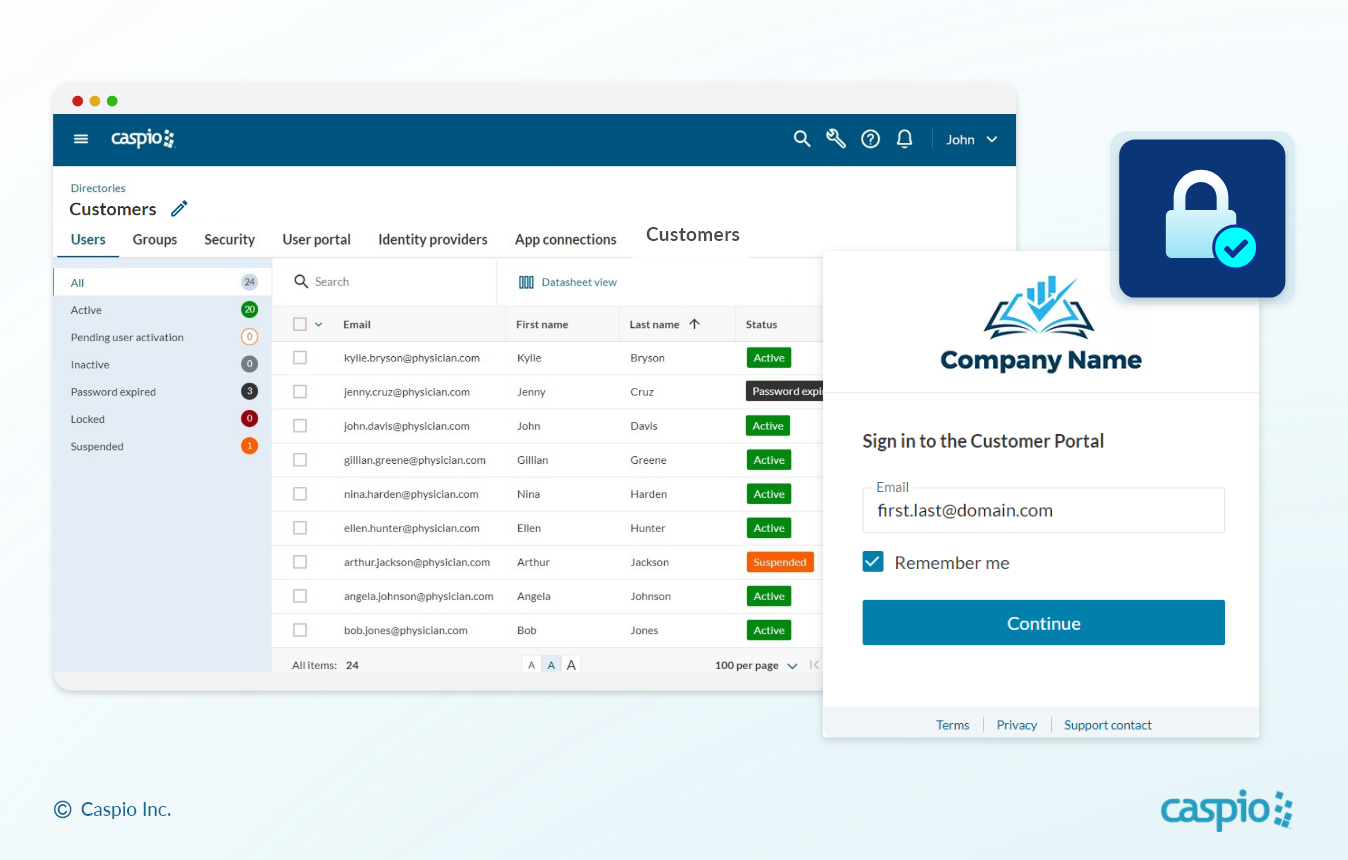
PROTECT YOUR DATA: Caspio’s database platform includes its own identity and access management service.
4. Business Continuity
Autosaves and local file recovery can only go so far. Excel spreadsheets are extremely vulnerable to being corrupted, tampered with and lost in the chaos of countless file versions. Safeguard your data and ensure business continuity with automated backups, disaster recovery and other cloud-based versioning and recovery procedures — all included as standard features in Caspio pricing plans.
Migrate Your Spreadsheets to Caspio
Experience all the benefits of Caspio’s leading cloud database platform. Sign up for a free trial and follow the steps below to migrate your Excel files:
Step 1: Normalize your data
Data normalization improves the quality of your tables by eliminating redundancies and unstructured information. This process lays the foundation for all data input, resulting in a standardized and well-maintained database at scale. Read this guide to learn more about normalizing your data.
Step 2: Import your spreadsheet files
Use Caspio’s intuitive import tool to upload your Excel spreadsheets individually or in bulk. Unlike most platforms, Caspio can process multiple worksheets in a single import, saving you time and effort. You can also import other file types such as CSVs, tab-delimited text and Microsoft Access databases.
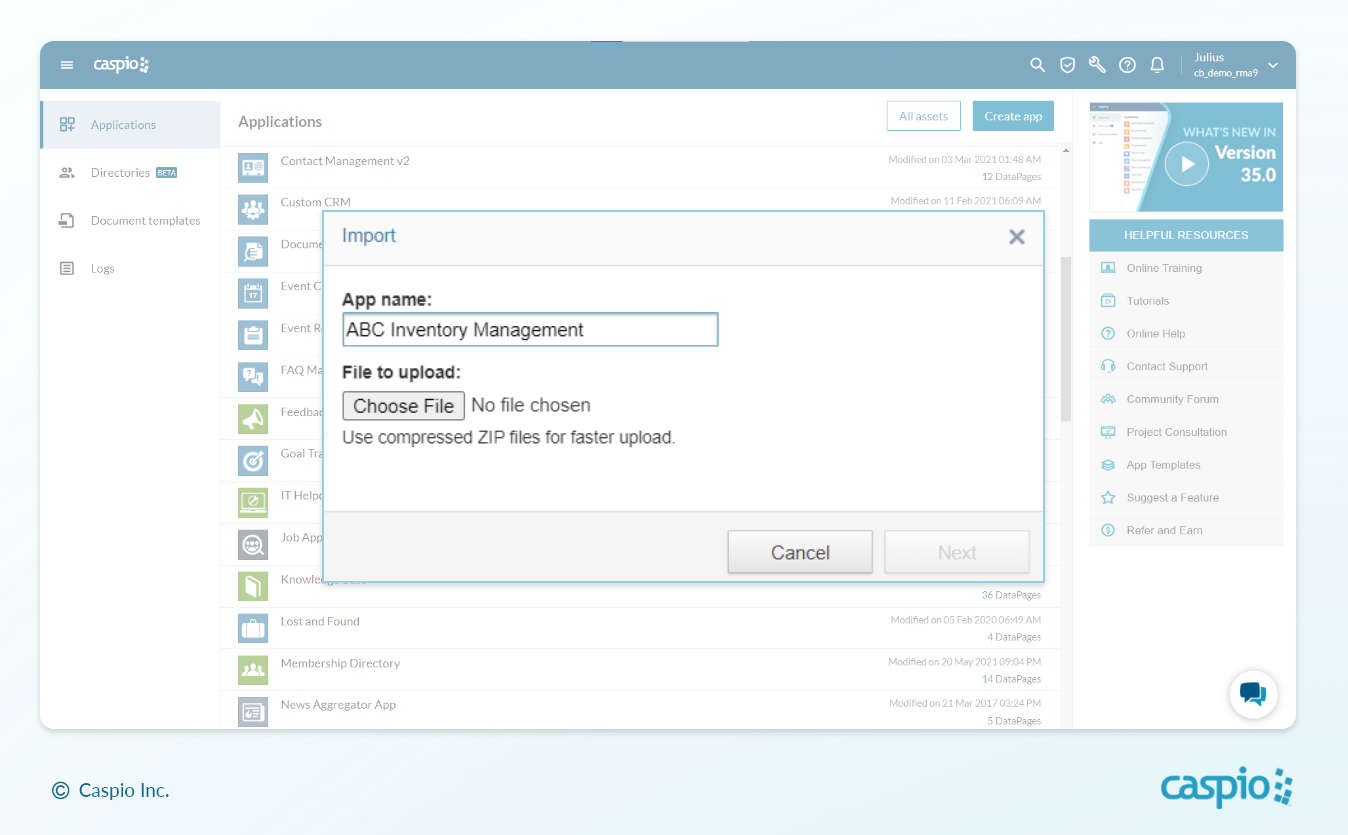
INSTANT UPLOAD: Migrate spreadsheet data across multiple workbooks into Caspio.
Step 3: Configure your data types
After successfully uploading your Excel files into Caspio, double-check if the data types assigned to your column headers are correct. Note that it’s possible to customize your table design anytime.
Step 4: Create table relationships
Use Caspio’s drag-and-drop interface to define one-to-many and many-to-many relationships across your database. This step allows you to set up sophisticated workflows that input, update or delete records in harmony with other related tables. Relational databases sit at the core of high-functioning business applications that operate seamlessly at scale.
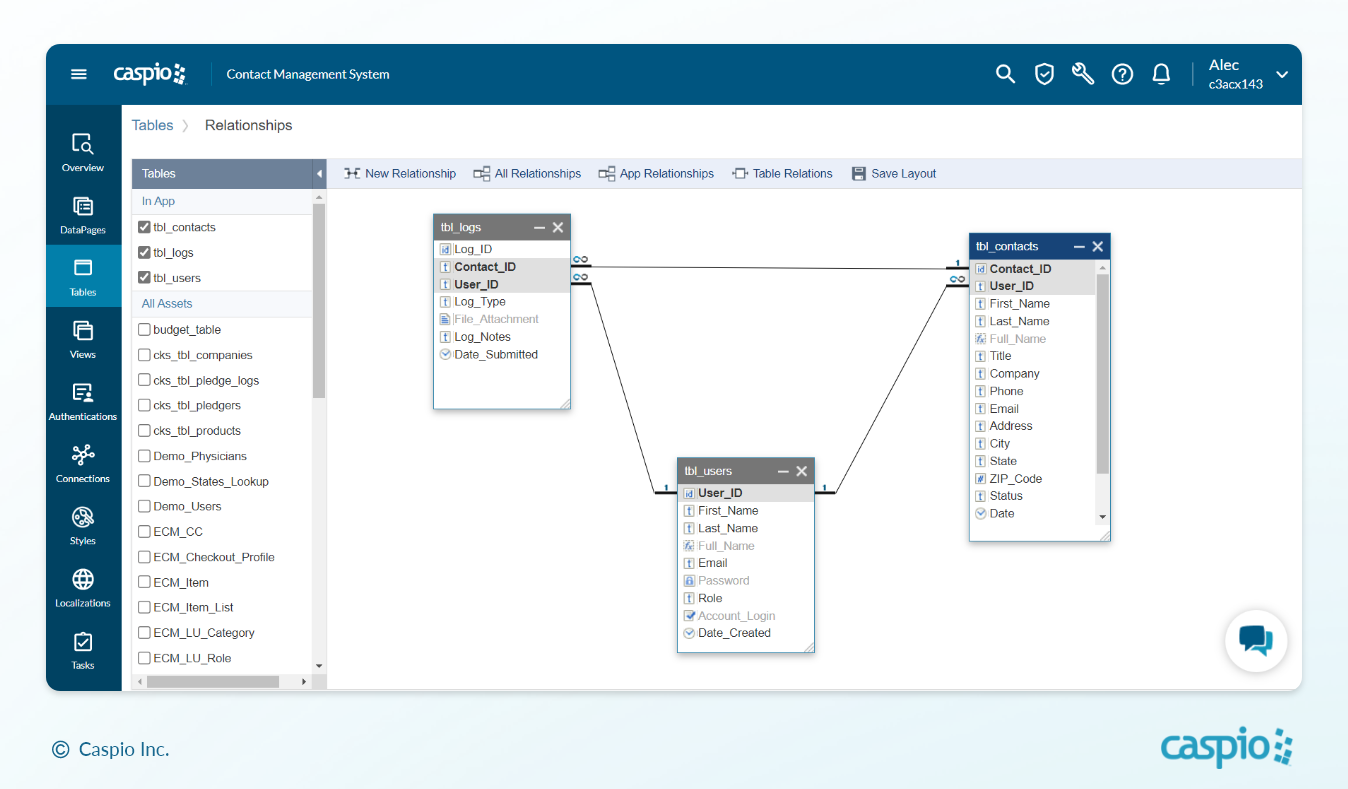
MATCH YOUR DATA: Design table relationships with Caspio’s visual drag-and-drop interface.
5 Applications to Build From Your Excel Spreadsheets
With your data safely migrated into a proper database, it’s now possible to build custom applications with sophisticated features that go beyond the average spreadsheet. Once your data lives in a real database, the spreadsheet becomes a launchpad. This is the core of what Caspio does when you convert Excel spreadsheets into web applications: the same data now drives secure, multi-user apps instead of static files passed around by email.
Here are some typical apps you can launch with little to no code:
1. Sales Dashboards
Streamline your sales data management with a centralized dashboard instead of manually entering and sending spreadsheets. Give your team a simple way to input their activities using secure web forms, and watch your KPI charts update in real-time. You can even generate custom dashboards for each user based on their user group or individual permissions.
2. Procurement Reports
When it comes to planning procurement processes, relying on spreadsheets can lead to errors and inefficiencies. To ensure accurate and timely quotations and purchases, build a custom application with approval workflows to standardize the entire process. Plus, with the ability to generate professional PDF documents, you can easily provide suppliers with key information in an official PDF format.
3. Asset Management Database
Monitoring assets through an asset management application is more scalable than using a long list in a spreadsheet. Easily track resources with customizable reports that display the status and location of each asset. You can also automate maintenance reminders and notify asset owners of their responsibilities through email or SMS, simplifying the process and ensuring timely action.
4. Finance Trackers
Drive your company’s financial success with powerful applications that eliminate spreadsheet chaos. With Caspio, you can manage large amounts of financial data without the limitations of Excel. Validate your formulas, automate workflows and scale operations in the cloud. The Caspio platform even supports pivot tables, just like Excel.
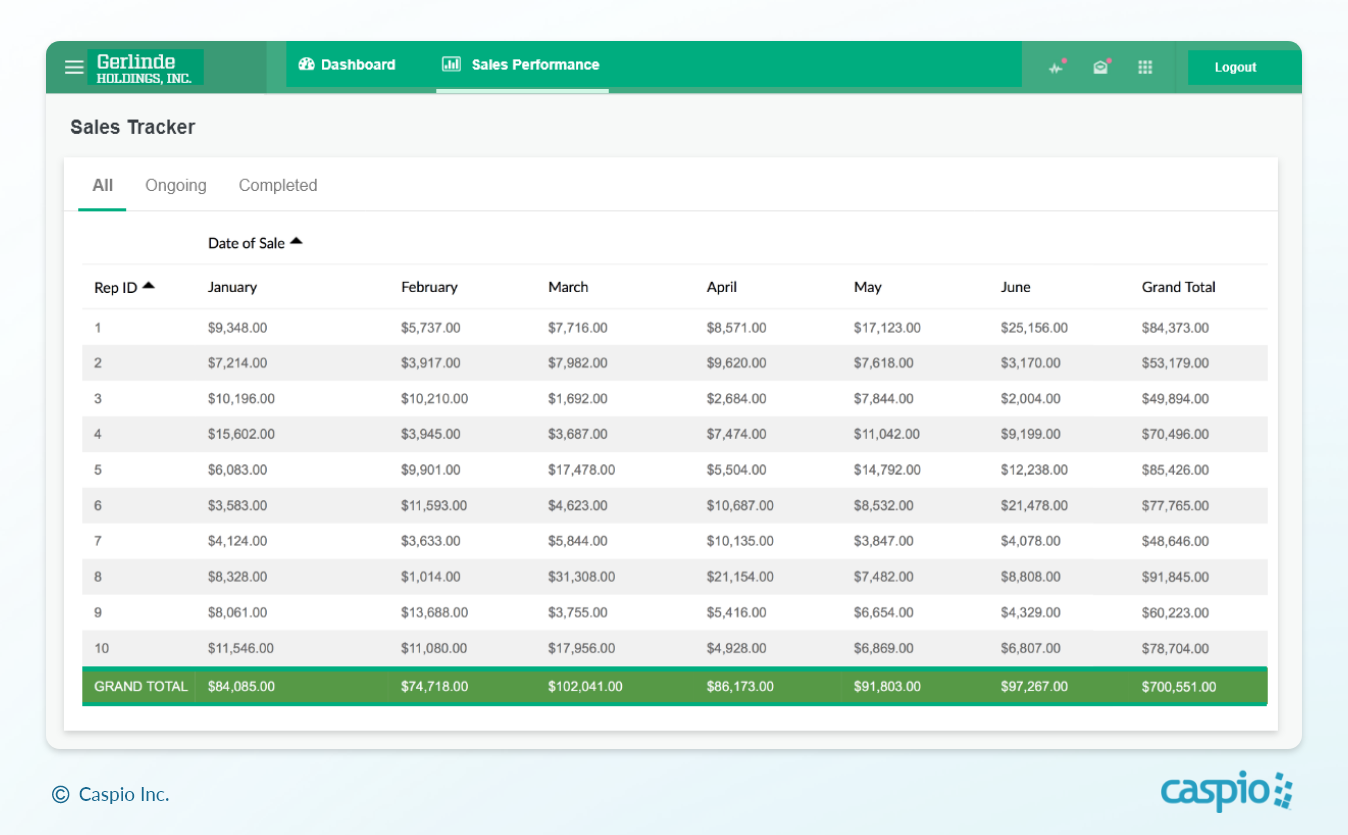
PIVOT ON: Easily create pivot tables and custom reporting interfaces in Caspio.
5. Project Management Software
Stop sending emails with spreadsheet attachments to update your stakeholders. A centralized project management application makes it easy to collaborate on tasks and stay updated on deliverables. Take advantage of Caspio’s built-in charts and reports ranging from bar charts and 3D pie charts to tabular reports and gallery views.
Join the No-Code Movement
Migrate your Excel spreadsheets online and future-proof your business with scalable no-code database applications.
See exactly how to convert your spreadsheets into web apps, then sign up for a free trial to try it yourself.


Recommended Articles

How AI Agents Buy Software, and Why Legibility Wins
READ STORY
10 Questions to Ask Before Connecting AI to Business Data
READ STORY
Add a Role-Aware AI Chat Agent to Your Caspio App
READ STORY
Build Internal Tools With AI: Best Tools for Business (2026)
READ STORY
Vibe Coding vs. Low-Code: Key Differences and Where Caspio Fits in 2026
READ STORY
Lovable Alternatives for Business and Regulated Apps (2026)
READ STORY
Vibe Coding Governance: The IT Leader’s 2026 Checklist
READ STORY
Shadow AI Apps Are the New Shadow IT: A 2026 Guide
READ STORY
Code Artifact vs. Governed Platform: The Two Architectures
READ STORY
AI App Builders for Regulated Industries: 2026 Buyer's Guide
READ STORY
Secure Alternatives to Vibe Coding for Business Apps (2026)
READ STORY
AI and No-Code: Generative AI in App Development
READ STORY
